
leave a message
If you are interested in our products and want to know more details,please leave a message here,we will reply you as soon as we can.
Squelch is one of the most overlooked core settings for walkie-talkie users, including construction workers, fleet drivers, outdoor hikers and security staff. Most beginners adjust it randomly: turn up the squelch to cut static noise, or turn it down to catch distant calls. However, the squelch threshold is a double-edged sword. Improper adjustment will cause missed commands, signal interference and faster battery drain.
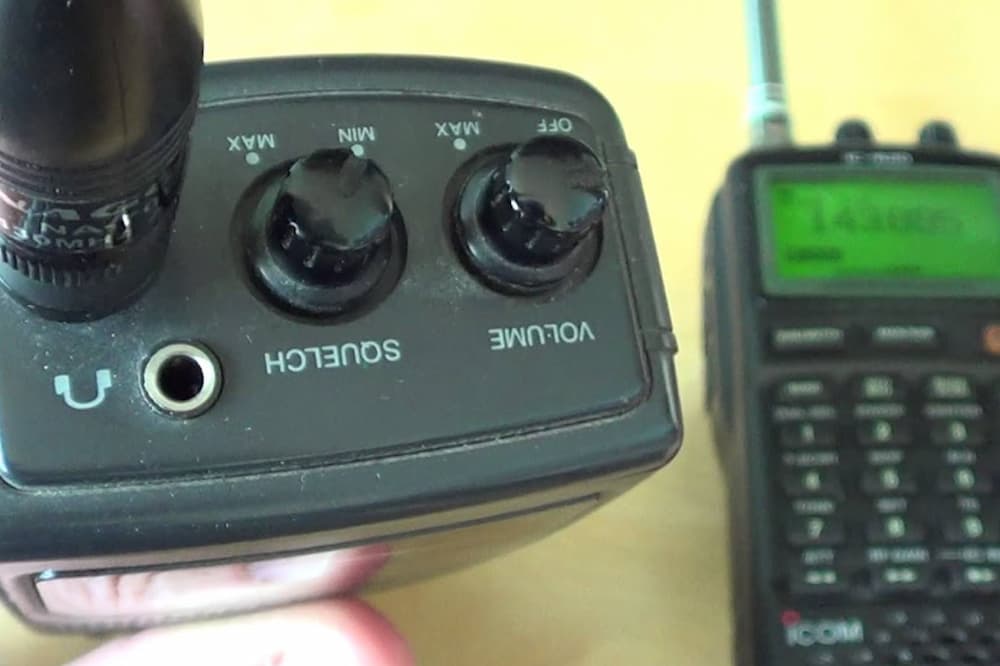
What Is Walkie-Talkie Squelch Threshold?
Simply put, squelch is a signal access gate for two-way radios. Most consumer radios have 0-9 adjustable squelch levels. The working rule is simple: the radio stays silent when no valid voice signal is detected. It activates the speaker only when incoming signal strength meets or exceeds the set threshold.
Core rule: Lower squelch = lower access barrier that picks up weak signals easily. Higher squelch = stricter barrier that only admits strong, clear radio signals.
Pros & Cons of Lowering Squelch Threshold (Level 0-3)
Lower squelch boosts radio receiving sensitivity, designed for long-distance communication.
Advantages: First, it maximizes communication range. It captures attenuated weak signals blocked by mountains, buildings or obstacles, ideal for wilderness rescue, large construction sites and suburban fleets. Second, it avoids missing emergency calls from staff at remote working spots. Third, it works perfectly in remote areas with little electromagnetic interference.
Disadvantages: Constant static hiss and white noise play on idle channels, bringing poor listening experience. It raises risks of cross-talk from nearby base stations and other radios in crowded urban frequency bands. Besides, high-sensitivity receiving circuits consume more power, shortening battery life by nearly 20%. Mixed noise and voices also reduce call clarity on busy sites.
Pros & Cons of Raising Squelch Threshold (Level 6-9)
Higher squelch filters weak clutter signals, prioritizing call purity.
Advantages: It mutes idle static completely, offering quiet use for mall security, office property and indoor teams. It blocks irrelevant external signals to eliminate cross-channel interference. It lowers radio operating load to save battery power for all-day on-duty use. Only strong clear voices pass the filter, improving voice recognition in noisy working environments.
Disadvantages: The effective communication distance drops sharply. Distant team members or fleet tail vehicles will fail to get through, causing information disconnection. Unstable fluctuating signals will lead to intermittent calls. High squelch only fits short-range indoor or neighborhood communication, not scattered team operations.
Beginner Universal Squelch Tuning Guide
No need for extreme settings. Follow this universal method: Turn squelch up gradually from the lowest level on an idle channel, and stop right when static noise disappears. This balanced setting balances signal reception and noise reduction.
Quick scene settings: Keep level 2-3 for mountain off-roading; keep level 7-8 for urban indoor security; switch to level 0 full open mode for emergency rescue to capture all possible radio signals.
Final Takeaway
Lower squelch opens the door for all signals: longer range, no missed calls, but noisy, easy cross-talk and high power consumption. Higher squelch screens messy signals: quiet channel, anti-interference, power-saving, but shorter communication range. There is no universal squelch value. Adjust low for long-distance contact, adjust high for short-distance quiet duty.



 IPv6 network supported

 Get a Quote