
leave a message
If you are interested in our products and want to know more details,please leave a message here,we will reply you as soon as we can.
Two‑way radios have evolved significantly from the simple devices many of us remember. Today’s professional units are packed with digital capabilities that rival smartphones in complexity, yet a surprising number of users still treat them as little more than a “push‑to‑talk” button. In fact, it is not uncommon to see expensive, feature‑rich radios used at barely 20% of their potential – a waste of both investment and operational advantage.
This article aims to change that. We will walk through the essential functions, clarify the misunderstood ones, and highlight the modern features that can genuinely improve your team’s safety, response times, and daily efficiency.
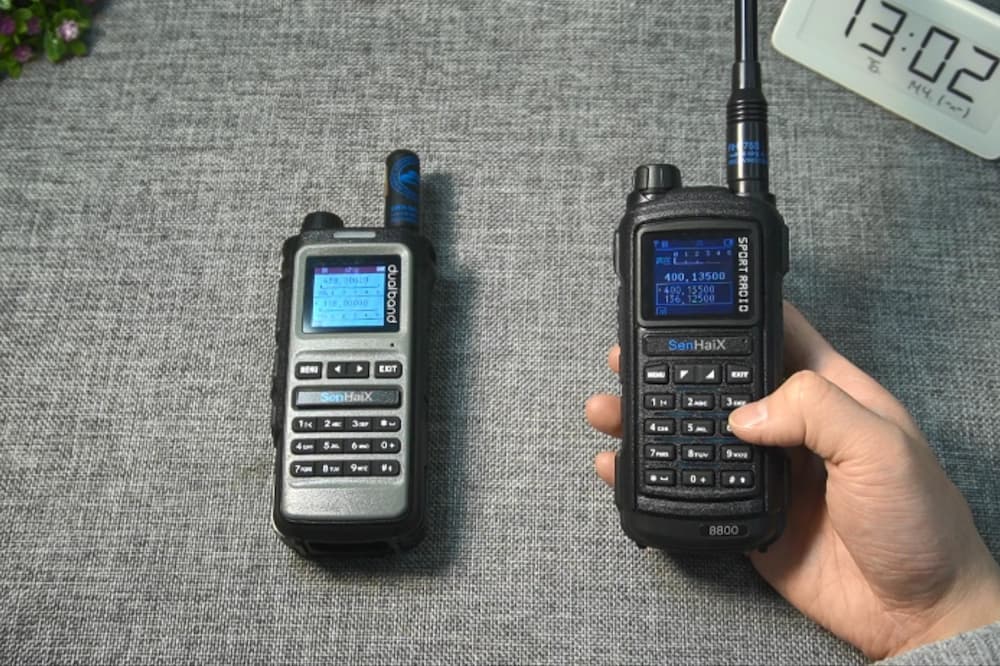
Let us begin with the basics. We do not assume you are a novice, but even experienced users sometimes overlook simple optimisations that make a real difference.
Push‑to‑Talk (PTT) – This is your primary control. Press it to transmit, release it to listen. However, a common mistake is to begin speaking immediately upon pressing. Modern digital radios require a brief moment to establish a transmission path – typically about one second. If you speak too soon, the first syllable or two will be cut off. This is why we always advise: press, pause, then speak. It eliminates countless needless repeats.
Channel Selection – Channels are the radio’s equivalent of different conversation rooms. Everyone on the same channel can hear every transmission. In busy environments such as large construction sites, warehouses, or public events, lower‑numbered channels are often congested. A simple best practice is to scan a few higher channels before settling on one – you will find cleaner airspace and fewer interruptions.
Volume and Squelch – Volume is straightforward. Squelch, however, is less intuitive. It acts as a noise gate that suppresses background static when no signal is present. Set it too low, and you will hear constant hissing; too high, and you risk missing weaker but important transmissions. The optimal setting is the lowest level at which the background noise just disappears – a point best found through a few trial transmissions in your actual working environment.
Beyond the obvious controls lie several functions that are frequently ignored, often because users assume they are unnecessary or too complicated. In reality, they can save time, reduce errors, and even enhance safety.
VOX (Voice‑Operated Transmission) – This enables hands‑free operation: the radio transmits automatically when it detects your voice, without pressing the PTT button. It is particularly valuable for drivers, climbers, or workers handling heavy equipment. That said, we advise caution in quiet or communal settings, as the radio may pick up casual remarks or even a cough – a lesson learned from personal experience. When VOX is enabled, keep conversations brief and purposeful.
Privacy Codes (CTCSS/DCS) – This is perhaps the most misunderstood feature. Privacy codes do not encrypt your communication; they simply filter out signals that do not share the same code on the same channel. If your team uses Channel 5 with Code 3, you will only hear transmissions that also use Code 3. However, any other radio on Channel 5 with a different code – or with no code – can still hear you. Think of it as a selective listening aid, not a security measure. It is excellent for reducing channel clutter, but never rely on it for confidential information.
Scan Function – This allows the radio to cycle through all programmed channels and stop on any active transmission. It is indispensable for monitoring multiple teams or awaiting a specific call without manual channel‑hopping. When the radio stops on a channel, pressing PTT immediately joins that conversation. For supervisors and dispatchers, this is a daily productivity tool that should not be left unused.
If your fleet still consists of analogue units from the early 2000s, you may be surprised by the capabilities of current digital radios. Today’s devices are better described as communication hubs than simple walkie‑talkies.
Text Messaging – Many digital radios now support short text messages. This is not a gimmick; in high‑noise environments – such as factories, airport aprons, or near heavy machinery – text transmission can be far more reliable than voice. Some models also offer text‑to‑speech, so incoming messages are read aloud without distracting the user. Sharing coordinates, serial numbers, or specific instructions is often quicker and more accurate via text than by voice.
GPS and Location Tracking – Built‑in GPS has become commonplace in professional radios. This feature goes beyond navigation: it allows dispatchers to view the real‑time location of every team member on a digital map. In an emergency, this can reduce response time from minutes to seconds. Some advanced systems now integrate with indoor positioning beacons (Bluetooth‑based) to provide room‑level accuracy, which is particularly useful in large facilities or multi‑storey buildings.
Bluetooth and Connectivity – High‑end models now include Bluetooth for wireless earpieces, remote speaker microphones, and even smartphone connectivity for over‑the‑air programming. Leading manufacturers offer Bluetooth 5.1 and dual‑band Wi‑Fi, enabling seamless firmware updates without physical cables. This not only simplifies maintenance but also ensures your radios remain current with the latest software improvements – a clear advantage for large fleets.
Advanced Noise Cancellation (AI‑Driven) – This is where digital radios truly outshine analogue predecessors. Artificial intelligence algorithms now distinguish human speech from background noise – whether it is a diesel generator, a forklift, or even jet engines. Some of the latest 2026 models deliver audio output at levels several times louder than normal conversation, maintaining intelligibility in ambient noise exceeding 100 dB. If your team works in persistently loud conditions, this feature alone justifies the upgrade.
Emergency and Safety Features – This category deserves special attention. Modern radios often include dedicated emergency buttons, lone‑worker timers (which trigger an alert if a user does not respond within a set interval), and man‑down sensors that automatically call for help if the radio detects a fall. These are not optional extras; they are critical safety nets proven to save lives. If your radio has an orange emergency button, we strongly encourage you to familiarise yourself with its operation before a real situation arises.
Technical knowledge alone is insufficient. Using a two‑way radio effectively also requires a set of communication disciplines that many professionals overlook.
Listen before transmitting. Always check that the channel is clear. Talking over someone else – often called “stepping on” a transmission – wastes time and forces both parties to repeat themselves.
Keep messages concise. Walkie‑talkies are not designed for lengthy monologues. State your purpose, share the necessary information, and release the button promptly. Prolonged transmissions tie up the channel and can frustrate other team members.
Position the radio correctly. The microphone is typically near the bottom of the unit. Hold it approximately two inches from your mouth for optimal audio. Shouting is unnecessary and often introduces distortion; a normal speaking voice is perfectly adequate.
Use plain language. While formal “10‑codes” are still used in some sectors, plain English is increasingly the global standard. Phrases such as “copy”, “understood”, or “go ahead” are clear, universally understood, and reduce the risk of misinterpretation across multilingual teams.
It is common to see packaging that claims ranges of “up to 30 miles”. In practice, the actual range depends on terrain, buildings, atmospheric conditions, and interference from other electronic devices. On an open plain with no obstructions, you might approach the manufacturer’s maximum figure. In an urban environment with concrete structures, or indoors with multiple floors, the effective range is considerably lower.
To maximise your range, we recommend elevating the radio – higher ground or even holding it above head level – and using external antennas where supported. For mission‑critical operations, always test your radios in the actual deployment environment rather than relying on advertised figures.
Two‑way radios are deceptively simple tools that, when fully understood, become powerful partners in daily operations. We suggest setting aside a short training session with your team to explore the features mentioned above. Test the VOX sensitivity, experiment with privacy codes, practise using the scan function, and – most importantly – demonstrate the emergency alert procedure in a controlled setting so everyone knows how it behaves.
By investing a small amount of time now, you will not only improve communication efficiency but also ensure your team makes full use of the capabilities you have already paid for. And if nothing else, you will finally know what every button on that radio actually does – a small satisfaction that, we believe, is well worth the effort.
Now, go ahead and put that knowledge into practice. And remember: press, pause, then speak. It makes all the difference.



 IPv6 network supported

 Get a Quote